


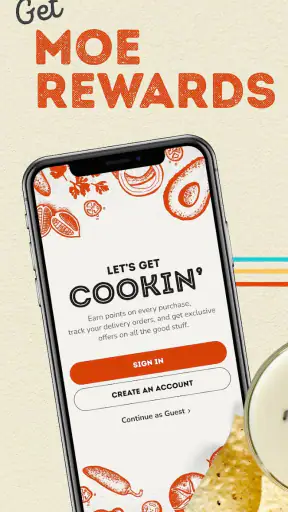
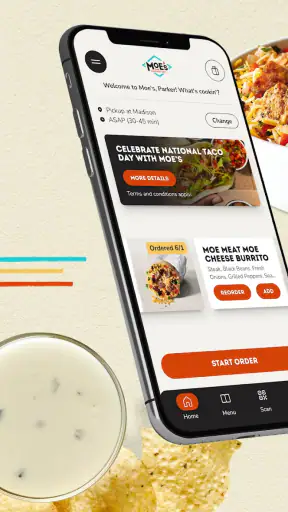
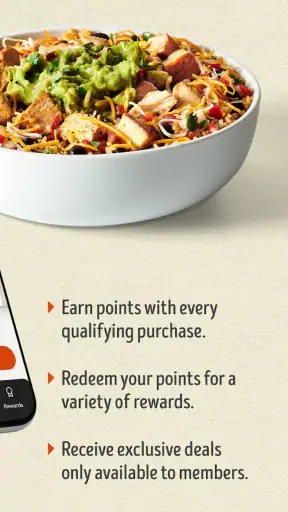
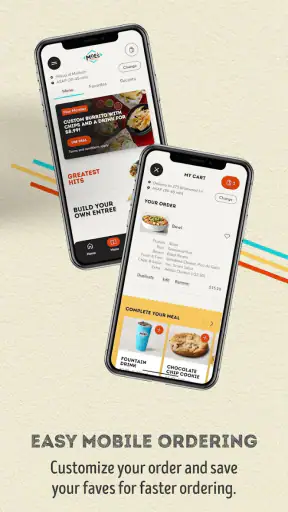
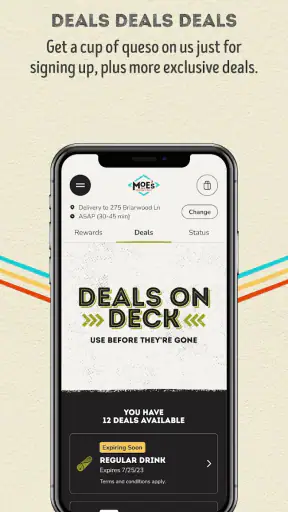
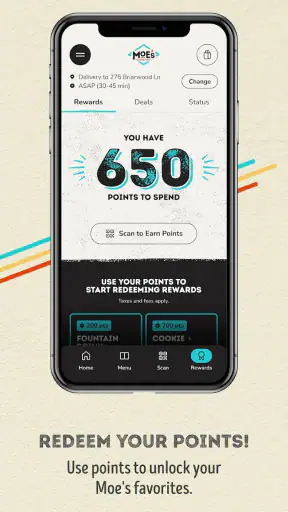

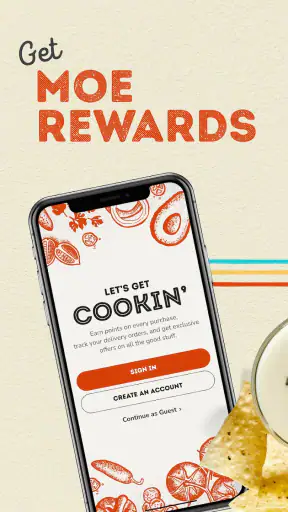
I use restaurant apps for one simple reason: they should make an ordinary meal easier, not turn a quick order into another chore. Moe’s Southwest Grill sits in that useful middle ground as a free lifestyle app from Moe’s Southwest Grill, built around ordering and the Moe Rewards program. Its clearest promise is straightforward: purchases can help you earn points with Moe Rewards.
That focus makes it easier to judge than a broad food-discovery app. I am not looking at it as a guide to every restaurant in town. I am looking at it as a companion for people who already eat at Moe’s Southwest Grill and want a more convenient way to interact with the chain. In that role, it has a sensible purpose, but the value depends heavily on how often Moe’s is part of your routine.
The app has been available since October 12, 2015, and its current version is 4.33. It is free, rated for Everyone, and works on devices running Android 8.0 or later. That makes it approachable for many users, although anyone with an older phone should check compatibility before planning around it.
How I assess the app before trusting it with a food order
A familiar brand helps, but it is not the whole trust story
Moe’s Southwest Grill is not asking users to adopt an anonymous ordering service. The developer is named Moe’s Southwest Grill, which gives the app a clear connection to the restaurant brand it represents. That matters when I am deciding where to place an order, because I prefer knowing who is responsible for the experience instead of relying on an unclear third-party wrapper.
Still, a recognizable name should not make anyone switch off their normal caution. A restaurant app may involve an account, order details, contact information, and purchase history. Those are ordinary parts of digital ordering, but they are still personal. My practical approach is to use only the information needed for the task, read each permission or account prompt before accepting it, and avoid treating a loyalty program as a reason to share more than necessary.
The public reception is encouraging without being a substitute for personal judgment. The app holds a 4.6 average from around 18 thousand ratings, with roughly 3.9 thousand written reviews and over one million installs. Those figures suggest that many people find it useful, but they do not guarantee that every restaurant location, device, or ordering situation will feel equally smooth.
What the app is actually good at
The strongest reason to install it is repeat use. If I visit Moe’s only once while traveling, the app may not justify the extra account or setup. If I return regularly, the rewards angle becomes much more practical. I can treat the app as a small record of my relationship with the restaurant rather than as a one-time ordering shortcut.
That distinction is important. A general delivery platform may be better when I want to compare several restaurants, see multiple menus in one place, or coordinate a mixed order from different businesses. Moe’s own app makes more sense when the destination is already decided and I want the restaurant’s dedicated experience instead of a broad marketplace.
I also prefer using a restaurant-specific app when I want to keep the order connected to the brand’s loyalty system. The trade-off is that the app is naturally narrow. It does not replace a general food app, a nutrition tracker, or a restaurant comparison tool. Its usefulness rises with loyalty and falls quickly if Moe’s is only an occasional choice.
Account decisions deserve attention before the first order
One of the most useful habits is to decide in advance whether I want the rewards relationship or only the quickest possible transaction. Creating an account can be worthwhile for a regular customer, especially when earning points is central to the experience. For a rare visit, I would first consider whether the setup time and ongoing account management are worth the benefit.
I would also use a distinct, strong password rather than recycling the one used for email, banking, or social accounts. That is not a criticism unique to this app; it is simply sensible whenever a service stores an account connected to purchases. If the app offers any account-management choices during setup, I would review them immediately rather than clicking through automatically.
A good workflow is to install it before hunger makes the decision for you. I would open it on a calm day, check the sign-in process, look through the available account controls, and understand how rewards are connected to purchases. That small preparation can prevent a rushed checkout from becoming the first time I discover an unexpected prompt or a confusing account step.
Permissions and data choices: what I can responsibly say
I do not treat the app’s category, rating, or popularity as proof of a particular privacy design. Those details tell me that it is a lifestyle app used by a substantial audience, not exactly what information it requests or how every piece of data is handled. For that reason, I would inspect the permission prompts and the privacy information shown in the app or its store entry at the moment of installation.
This is especially important because permissions can change as an app evolves. The current version is 4.33, but a future update may present different choices or explain them differently. I would not approve access simply because the request appears during setup. I would ask whether the permission is clearly connected to something I am trying to do, such as selecting a location or completing an order.
My trust rule is simple: a useful feature should come with a visible choice, not a reflexive tap. If a permission feels unrelated to ordering or rewards, I would pause and investigate before continuing. If declining it still lets me use the core service, I would decline it unless I have a clear reason to allow it later.
Data-sensitive moments happen during normal use
The most sensitive point is not necessarily installation. It is the moment an order becomes specific: what I choose, when I want it, which restaurant I use, and how I identify myself at checkout. Even when those details are expected for the service to work, I prefer to review the final screen carefully before submitting anything.
I would confirm the selected location, order contents, and account before placing the order. This is both a practical accuracy check and a data-minimization habit. A wrong location can create a more serious problem than a forgotten topping, while an abandoned order may leave me unsure about what was actually submitted. Taking a few seconds to verify the final step is worthwhile.
Rewards create another moment that deserves attention. Since Moe Rewards is a central reason to use the app, I would check whether the purchase is visibly associated with my account and whether the points or reward status are explained clearly after the transaction. I would save the receipt or confirmation shown to me until the order is complete, particularly when the purchase matters for a future reward.
There is also a difference between an app being convenient and an app being necessary. I would not install it merely because I am near a Moe’s location once. For a single visit, I might choose the restaurant’s ordinary in-person process or a familiar alternative if that avoids creating an account. For a household that orders from Moe’s repeatedly, the balance can change because the rewards feature has more opportunities to provide value.
Where the dedicated app beats usual alternatives
Compared with a general delivery marketplace, the dedicated Moe’s experience has one obvious advantage: it is centered on one restaurant brand and its own loyalty program. I do not have to browse unrelated restaurants when I already know what I want. That narrower design can feel calmer and more direct for repeat customers.
The disadvantage is equally clear. A marketplace may offer broader restaurant choice, delivery comparisons, or a single place to manage different orders. If my priority is finding the lowest overall cost, comparing delivery availability, or ordering from several businesses, I would look elsewhere. I would also avoid relying on this app as my only food-ordering tool during travel, when I may need flexibility rather than loyalty to one chain.
Compared with ordering at the counter, the app can be more useful when I want to plan ahead or keep a rewards purchase connected to my account. The counter remains better when I have questions, need help with an unusual request, or do not want to navigate a digital account. In other words, the app is a convenience layer, not a replacement for human assistance in every situation.
A realistic weekday scenario
Imagine I am leaving work late and already know I want Moe’s. I open the app before driving, review the order, and make sure the selected restaurant is the one I can actually reach. I check that I am signed into the intended account, because earning points under the wrong profile would defeat much of the reason for using the app.
Before confirming, I review the total order details and any final choices presented on screen. Once the order is placed, I keep the confirmation available until pickup or completion. Afterward, I check whether the rewards activity looks connected to the purchase. This workflow is not glamorous, but it combines the app’s main convenience with sensible control over the account and transaction.
Now change the scenario: I am ordering for several people, one person has a complicated request, and nobody agrees on timing. In that case, I may prefer speaking with staff or using a more flexible ordering route. The app can reduce routine friction, but it may not be the best tool when communication is more important than speed.
Who should use it, and who should skip it?
I would recommend trying it to a regular Moe’s customer who wants a dedicated way to manage purchases and participate in Moe Rewards. It is also a reasonable choice for someone who values planning an order digitally and is comfortable reviewing account and permission settings. The free price removes the financial barrier to trying it, although time and privacy preferences still matter.
I would be more cautious about recommending it to someone who visits Moe’s rarely, dislikes creating accounts, or wants one app for every restaurant. The same applies to people using an older device that does not meet the Android 8.0 minimum. In those cases, the app’s central benefit may not outweigh the setup or compatibility inconvenience.
Families should think about account ownership before several people use the same rewards profile. A shared account may be convenient, but it can also make it harder to tell who placed an order or why the rewards activity changed. I would choose one clear arrangement and avoid casually switching between multiple accounts during checkout.
My cautious verdict after weighing convenience and control
Moe’s Southwest Grill is most convincing as a repeat-customer tool, not as a universal food app. Its identity is clear, its price is accessible, and its connection to Moe Rewards gives it a practical purpose beyond simply displaying a restaurant name. The strong average rating and broad install base make it worth considering, but I would still judge it by the quality of the actual prompts, account controls, and ordering flow on my own device.
My recommendation is to install it deliberately rather than automatically. Start by checking compatibility, review the permissions one by one, and decide whether the rewards relationship is valuable enough to justify an account. During each order, verify the location, account, and confirmation before moving on. Those steps preserve the convenience while keeping the user in charge.
I would choose this app when Moe’s is already a regular part of my eating routine and I want a brand-specific way to handle purchases. I would skip it when I need broad restaurant comparison, maximum flexibility, or a completely account-free experience. That is a narrow recommendation, but it is an honest one: the app does not need to do everything to be useful. It simply needs to make repeat Moe’s visits easier without asking me to surrender more control than the task requires.


